Lost sales
Every leaked copy is a student who would have bought from you.
For every lecturer and teacher, in any subject
Sell your recorded courses on Noqta, inside an app built to protect them: the student's name and number drift across every video, their identity is spoken in the audio, and their account is locked to one phone. Whoever leaks it, you'll know who.
The problem nobody talks about
It doesn't take a hacker. It takes one student, one phone, and one Telegram group.
They buy your course once, at your real price.
A screen recording, or a download from an open link.
Telegram, Drive, or resold for half the price as "notes".
And nobody knows who leaked it, so nobody is held to account.
Every leaked copy is a student who would have bought from you.
Hard to charge a fair price when a free copy sits in every group.
You update the course; the outdated copy is the one that keeps circulating.
Without a mark, a leaked video belongs to no one.
Protection on Noqta
Each layer makes leaking harder. Together, they make any leaked copy point back to the account it came from.
A watermark with the student's name and phone number drifts across the lesson the whole time it plays. It can't be cropped out of a corner, and if the screen is recorded, the name is in the recording.
Every so often, the app speaks a short identity tag over the lesson. Whoever captures the audio alone to pass around as a podcast takes the name with it.
The first phone to open an account owns it. Every other phone is turned away, and the server decides, not the app. So "send me your password and I'll watch" stops working.
On Android, screenshots and screen recordings are blocked inside protected lessons. On iPhone, the lesson hides itself from screen recording and mirroring, screenshots are detected, and the app-switcher preview is blurred.
Access is decided on the server. Lessons in a locked module are never sent to the phone, and the video's source is hidden from the student. There's no link to copy and no file to download.
✳Honestly: no protection on earth stops someone filming a screen with a second phone. That's why the visible and spoken watermarks exist: even then, the leaked copy carries the name of the account it came from.
For you, the one who teaches
Noqta's Creator Studio is built so you can build your course, sell it, and follow your students without thinking about the technology.
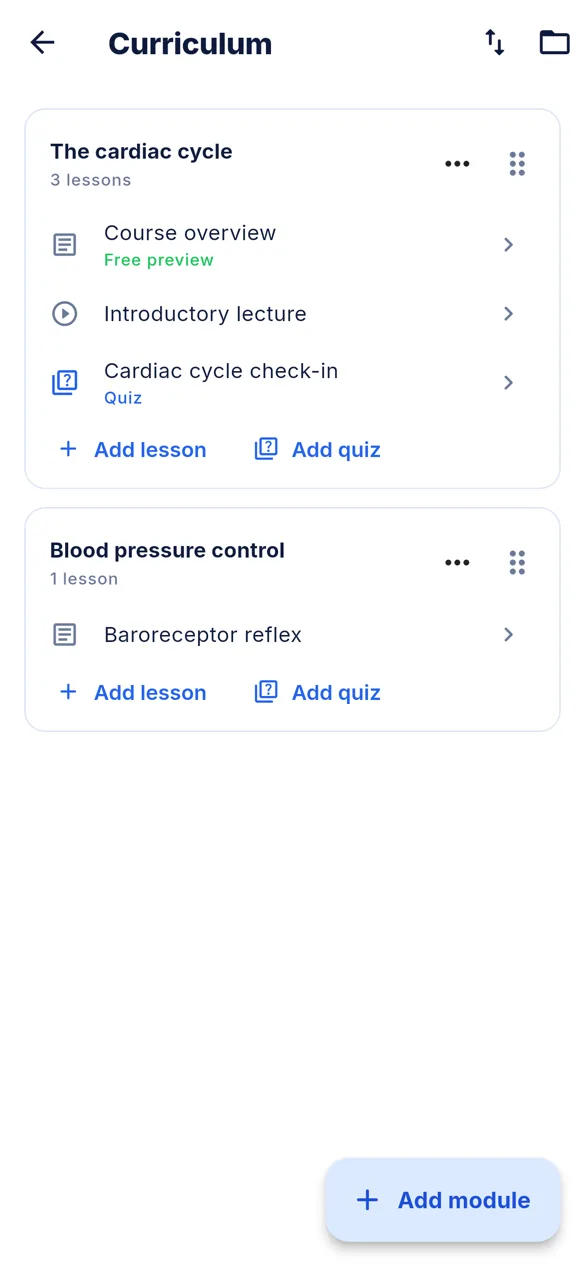
Modules, video lessons, reading lessons, quizzes and PDF materials. Reorder by dragging, and make a first lesson a free preview so students can try before they buy.
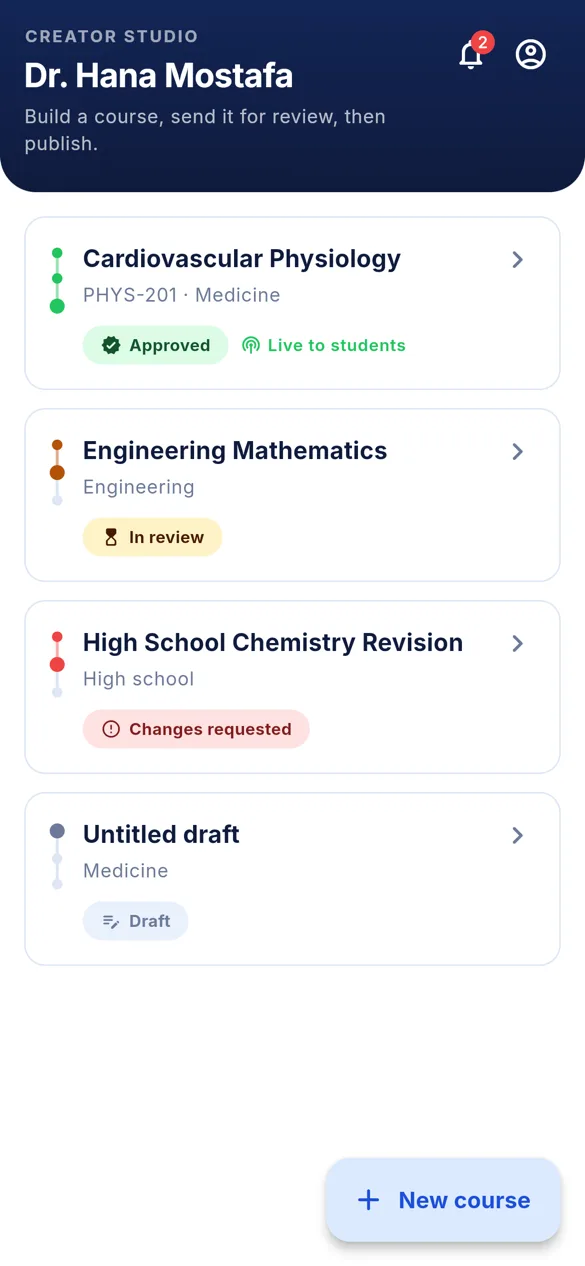
Student counts, who has the full course and who has a module, pending requests, and code redemption. Per course.
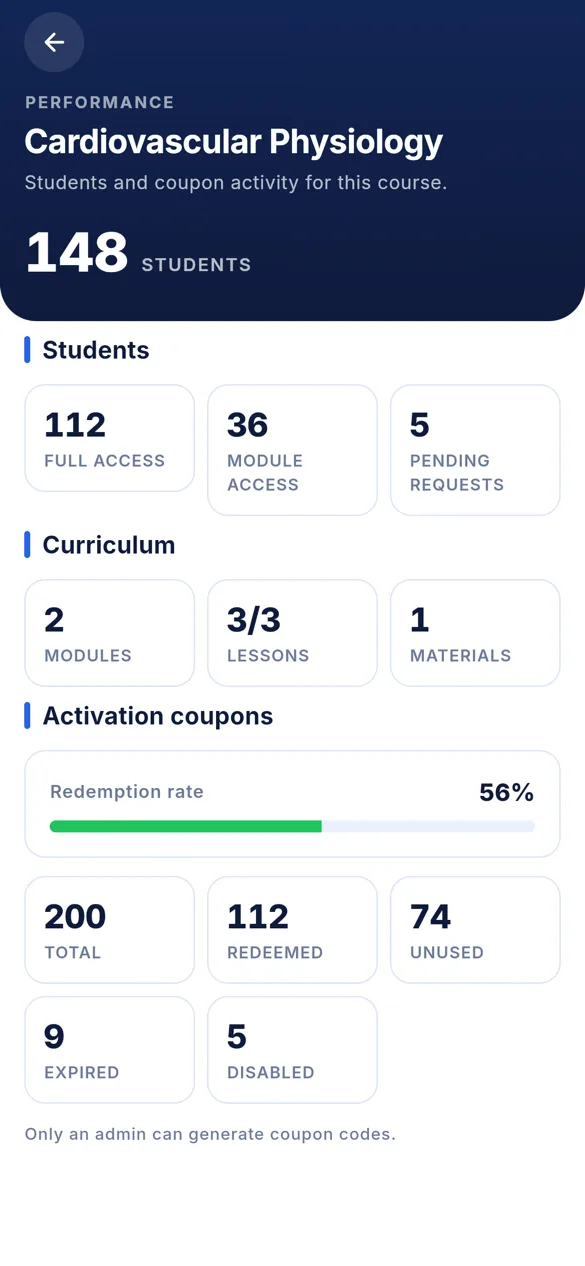
Students pay and get a code that unlocks the full course or one module. Noqta issues the codes and tracks every redemption.
Every course is reviewed before it reaches students, so what carries your name always looks the part.
Post course announcements, and students get a notification the moment you add a new lesson.
Medicine, engineering, commerce, high school, languages, programming, and anything else that can be taught. If your teaching is worth paying for, Noqta is built for you.
How you start
One WhatsApp message, and we open a Creator Studio account for you.
Upload your videos and files, and shape them into modules and lessons.
We review the course; once approved, you publish it in one tap.
Students buy codes and watch inside the app, with every layer of protection switched on.
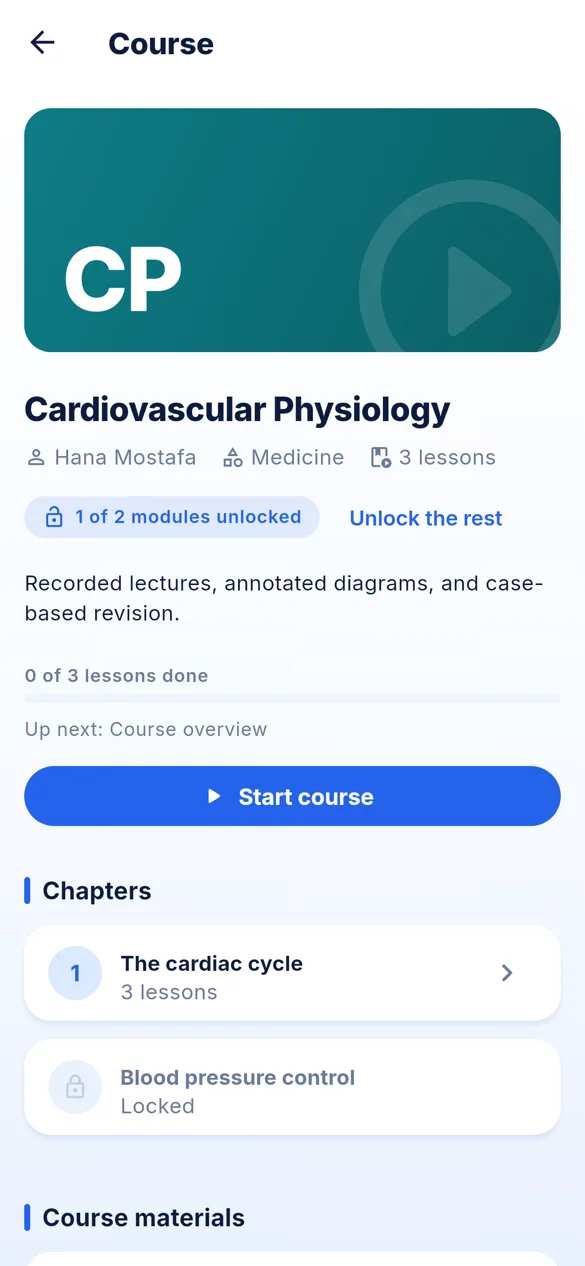
Inside the app
This is what your students see, and what you'll work in.
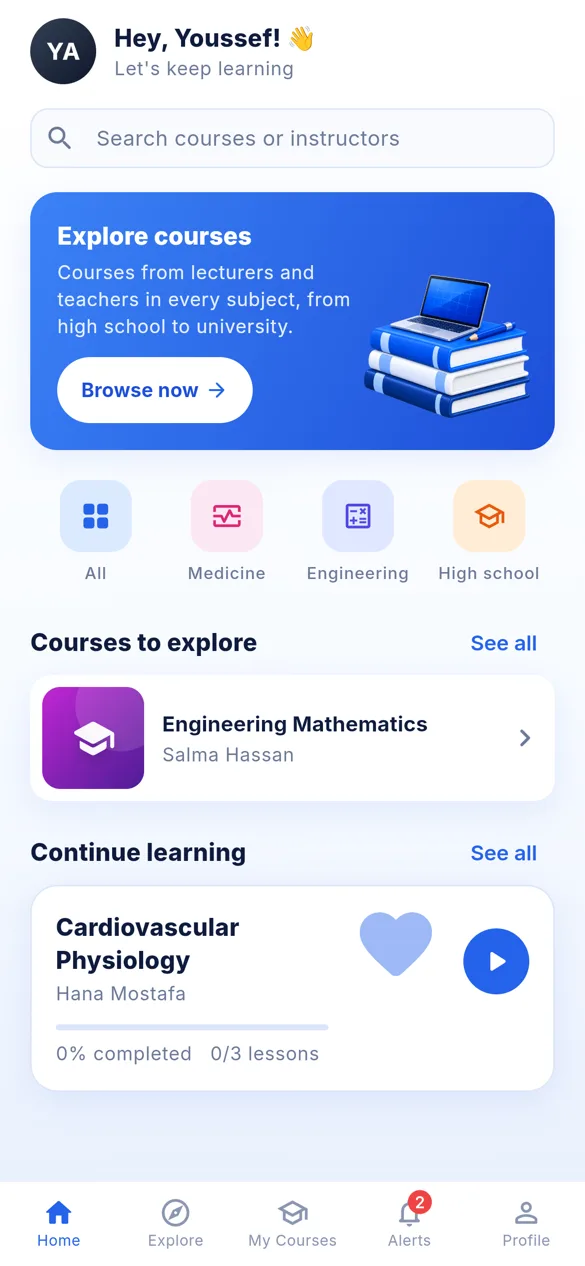
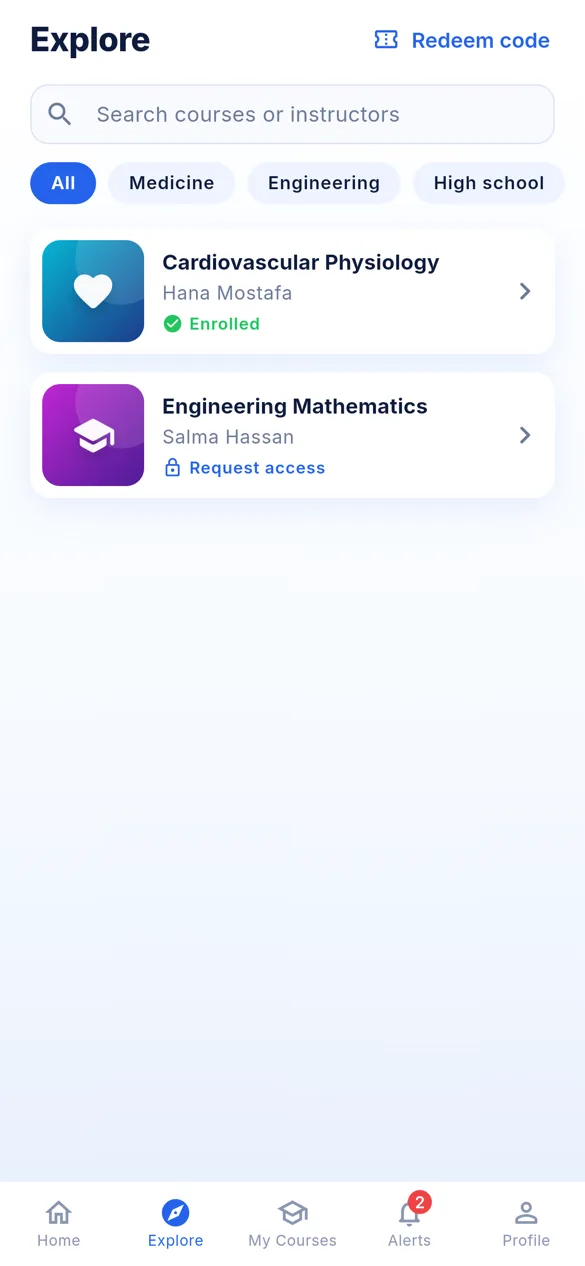
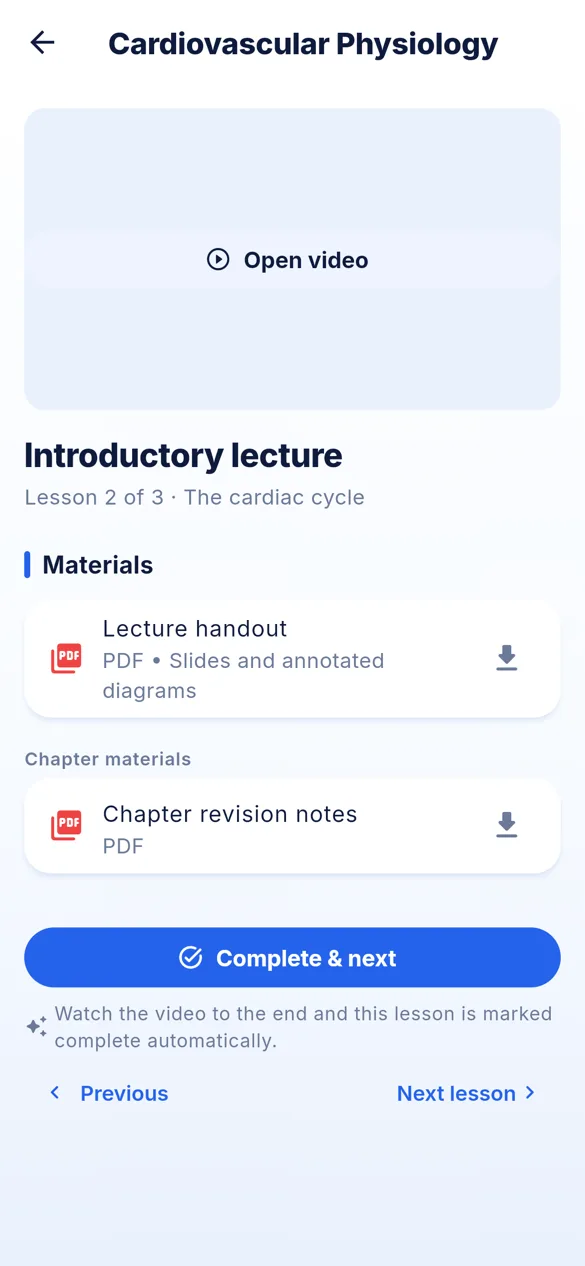
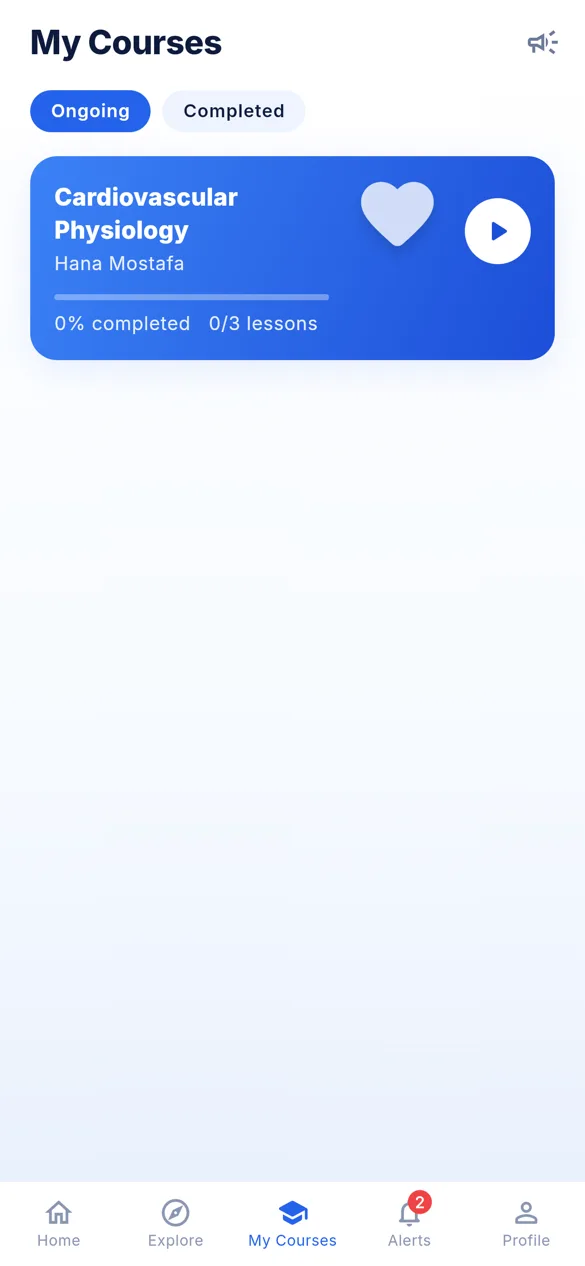
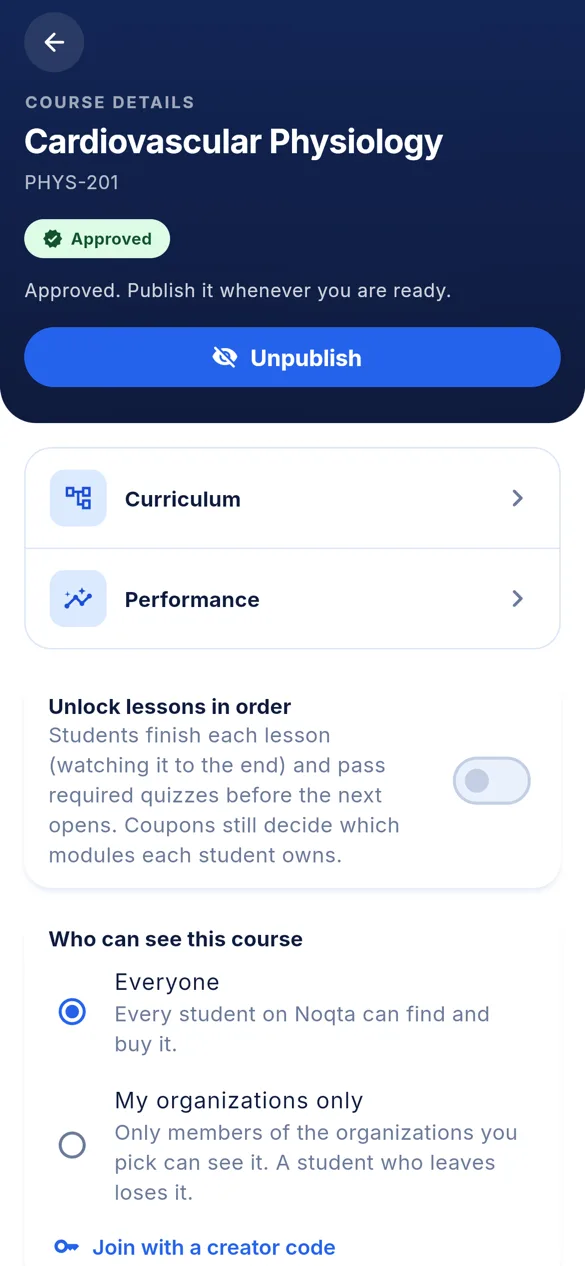
If you teach anything, at any level, and want to sell your courses without worrying about them, message us and we'll open your studio.
Message us on WhatsApp